General
How to place a GTT request in MTF (Website)?
To place a GTT order request in MTF:
Buy Order
1. Select Stock Tab on the website
2. Select Watchlist
3. Select GTT option against your desired stock
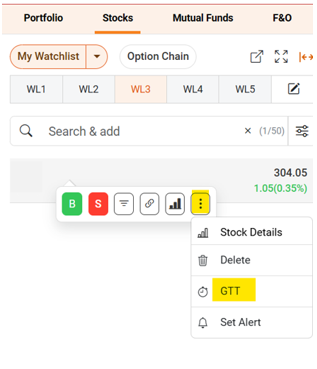
4. Select MTF tab
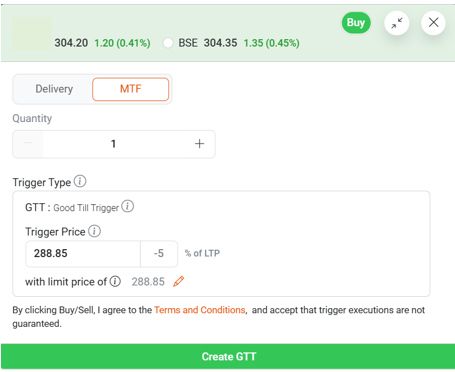
5. Enter the trade details and create the GTT order
Sell request against your MTF positions:
1. Select Stocks Tab on the website
2. Select Watchlist
3. Select Positions tab
4. Click on Sell option against the position to sell.
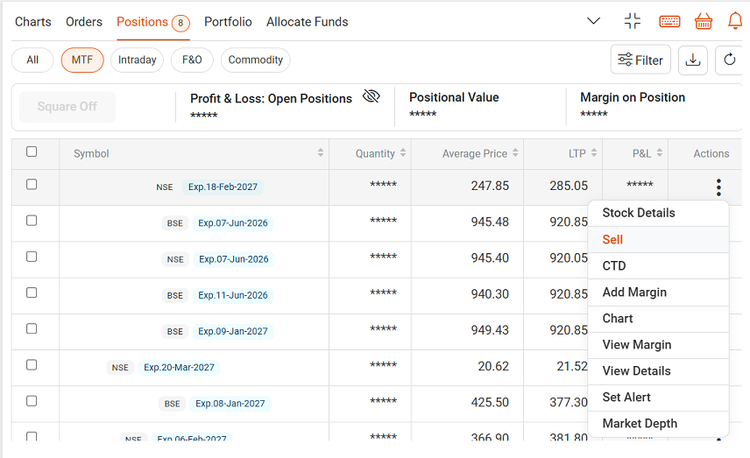
5. Enable GTT toggle
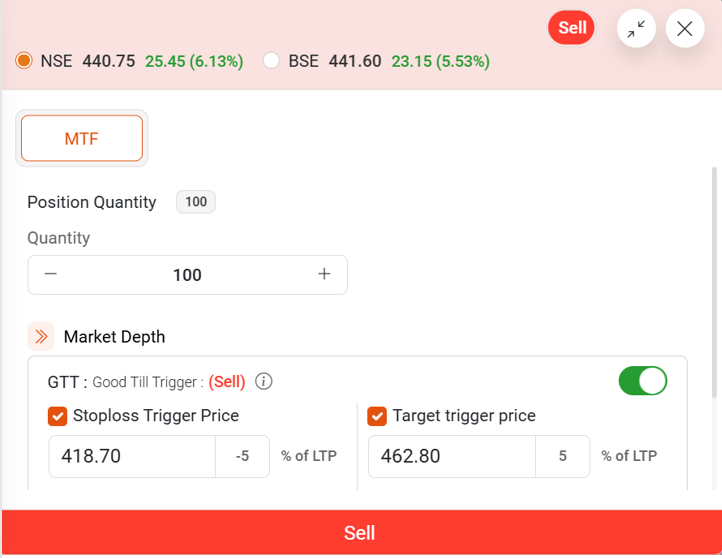
6. Enter GTT trigger conditions & create the GTT order.
3-leg order
1. Select Stocks Tab on the website
2. Select Watchlist
3. Select MTF tab in order placement page against your desired stock
4. Enter the MTF trade details and enable GTT toggle
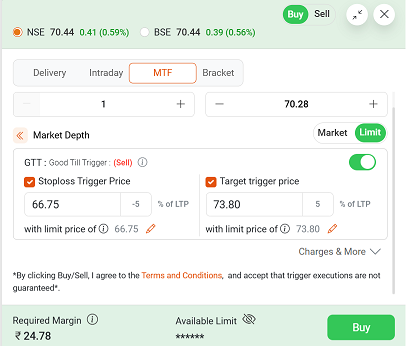
5. Enter GTT trigger conditions & create the GTT order
Once the inital buy order is executed, corresponding GTT sell order will become active with the specified Trigger price.