General
How to do Online Re-KYC?
Online ReKYC process involves below 4 steps-
- Fetching Aadhaar details from DigiLocker
- Confirm personal details
- Live Photo Capture
- E-signature
Things to keep ready before starting Re-KYC process –
- Aadhaar Card
- Mobile number linked to Aadhaar card for OTP validation
In case your KYC is not completed in KRA, KYC Pop-up will appear after login.
Click on consent box and Proceed
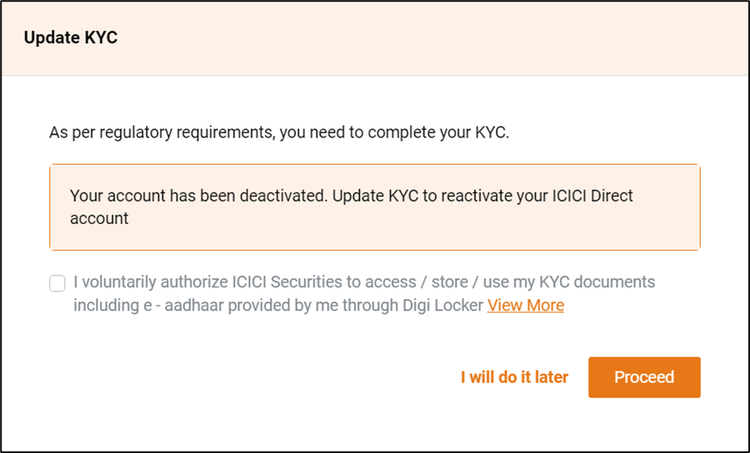
Step 1 – Fetching Aadhaar details from DigiLocker
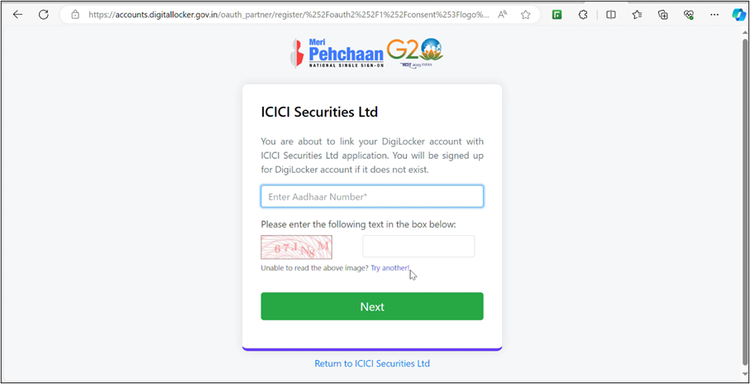
Customer will be redirected to Digilocker for fetching Aadhaar Card. Please enter Aadhaar Number, Captcha code and click on Next.
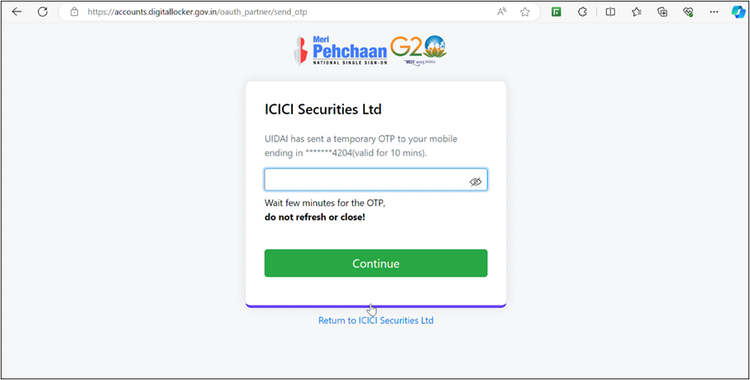
OTP will come on Aadhaar linked mobile number.
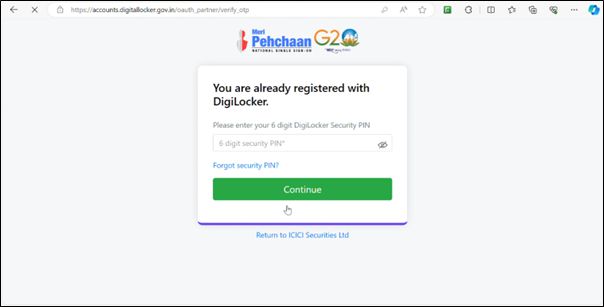
Customer need to enter Digilocker PIN. If customer is not registered on Digilocker, then complete registration.
If customer has forgot PIN, it can be reset using the birth date.
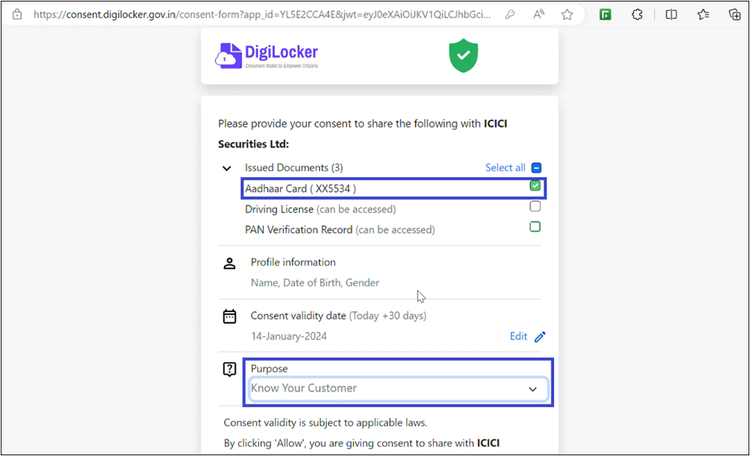
Click on box next to Aadhaar Card, select “Know Your Customer” in Purpose and Click on Allow.
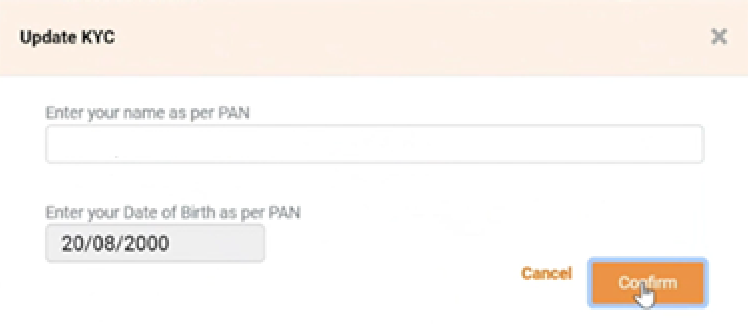
PAN Name and DOB verification-
After 30st April, as per new regulation Name and DOB in ICICI Direct account has to be exactly match with PAN details.
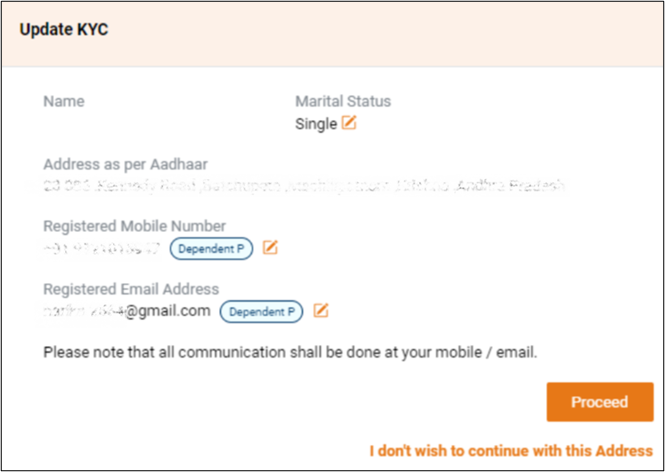
Step 2 – Confirm Personal Details
Your Address will be fetched from Aadhaar Card. Please confirm contact details and click on Proceed. Even if current and Aadhaar address is different, customer can still proceed with Aadhaar address as we send all communications on Mobile and Email.
Step 3 – Photo Verification
Please remove Spectacles, Hats and masks and Proceed to take Selfie.

Please note, there is no Submit button. Once photo is captured, outer circle will turn Green.
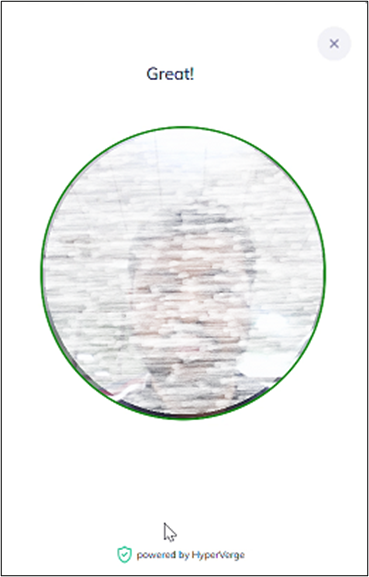
Customer will be redirected to KYC pop-up after completing photo capture.
Please Note –
- Please give location access to the browser. As per regulations, customer needs to be in India to complete ReKYC.
- Please attempt ReKYC via personal laptop or mobile device. Some office laptop blocks photo capturing due to internal firewalls.
Customer can view pre-filled form and Click on Submit.
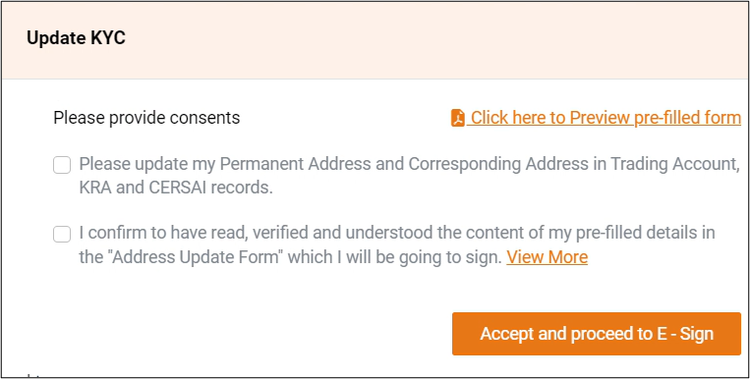
Step 4 – E-signature
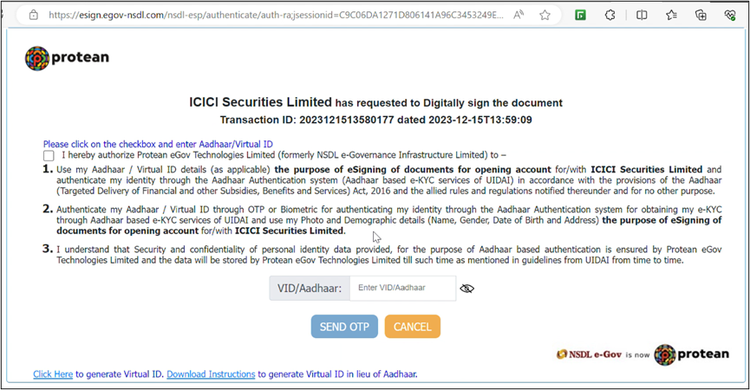
Customer will be redirected to protean for e-sign.
Accept consent, enter Aadhaar number and click on “Send OTP”
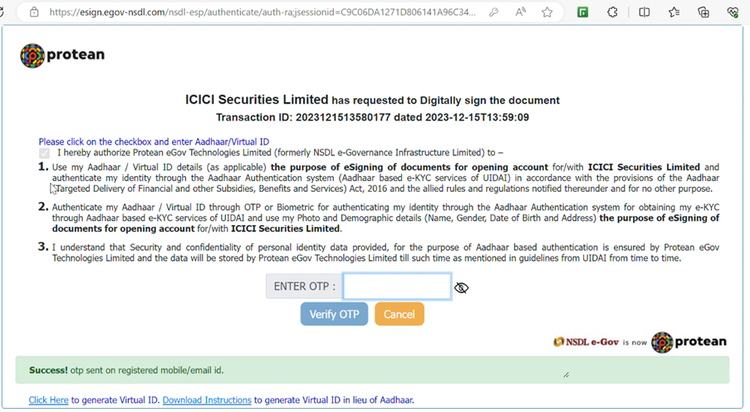
Enter OTP received on Aadhaar linked mobile number. Sometimes due to slowness, there might be delay in receiving OTP.
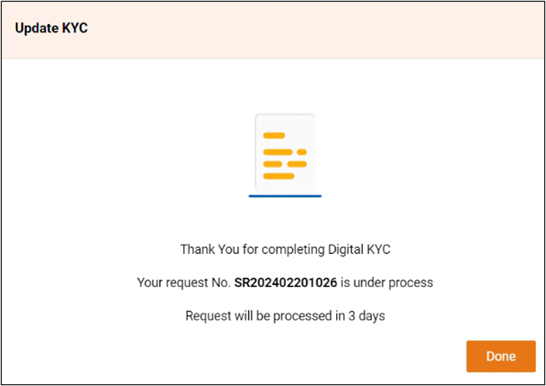
After successful e-sign, customer will be redirected to ICICIdirect.
Please note, this pop-up will keep on coming for next 2-3 days till your KYC application is not validated by KRA. KRA generally takes 3-5 days.
Please note, KRA will send SMS and Email to validate the contact details of customers. SMS and email will have a link, customer should click on the links to validate their contact details.
Please note – In between any stage, if customer not able to continue due to technical errors. Please retry, ReKYC journey will start from where it halted last time. But ReKYC needs to be completed in 3 days.