General Queries
How to change the current password for my ICICI Direct account?
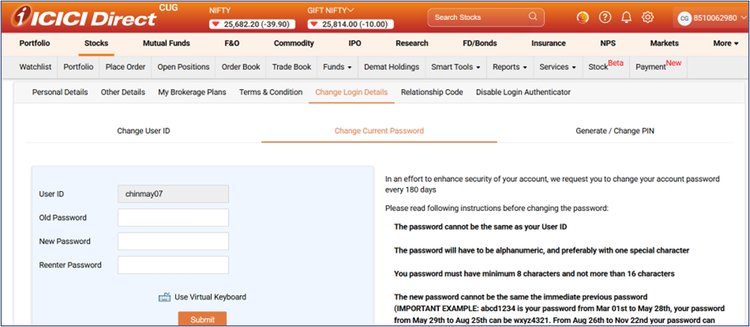
You can change the current password for ICICI Direct account in few easy steps-
1) Login to ICICIDirect.com
2) Go to Settings
3) Go to Personal Details
4) Go to Change Login Details
5) Go to Change Current Password (https://secure.icicidirect.com/customer/changepassword )
6) Enter your old password and new password to change it. Please create strong password for enhanced security.