General Queries
How can I activate DDPI with ICICI Securities?
To activate DDPI with ICICI Securities, follow these steps:
Online Activation:
1. Log in to your ICICI Securities account.
2. Navigate to the ‘Self Help’ section.
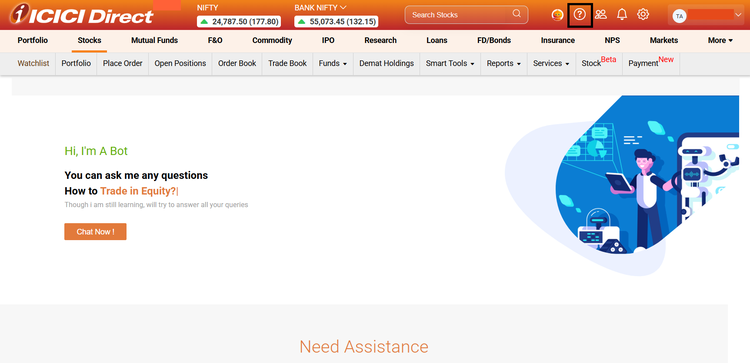
3. Scroll down and select ‘Place service request’
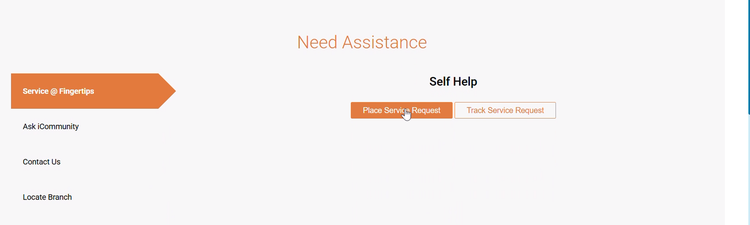
4. Select ‘Enable DDPI’.
5. Click on ‘Enable’
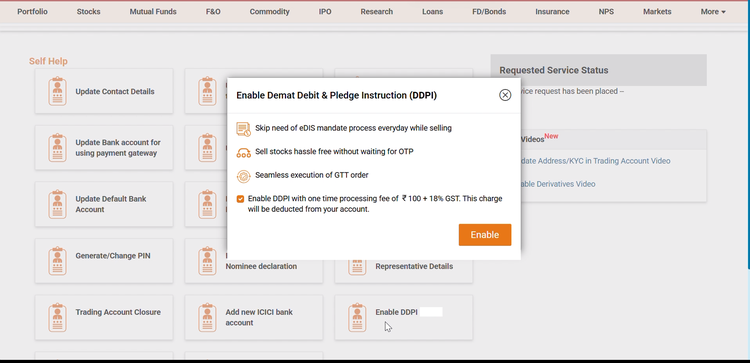
6. Select consent and Proceed.

7. Scroll down and
8. Click on Proceed with Estamp.
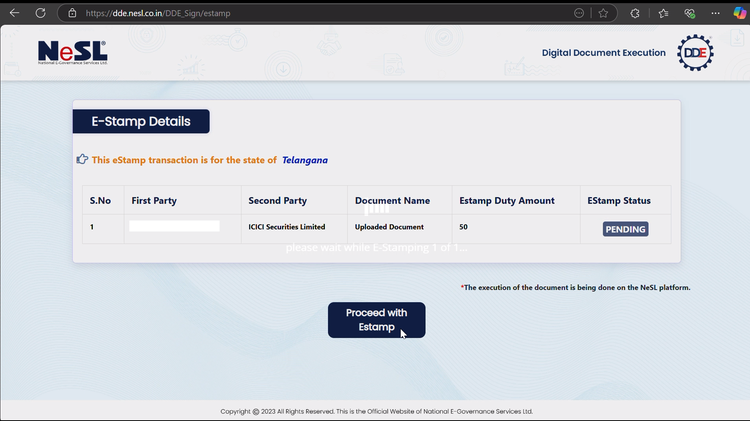
9. E-stamped document will be available. Read and click Okay.
10. You will be redirected for E-signing the documents. Select the consent and click on ‘OTP based esign’
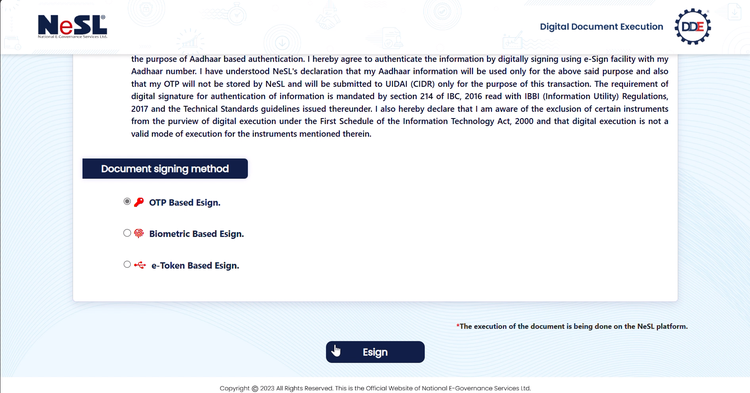
11. Enter your Aadhaar number, select consent and Click on Send OTP.
12. Enter OTP received on the Aadhaar-linked mobile number and click on ‘Perform E-sign’
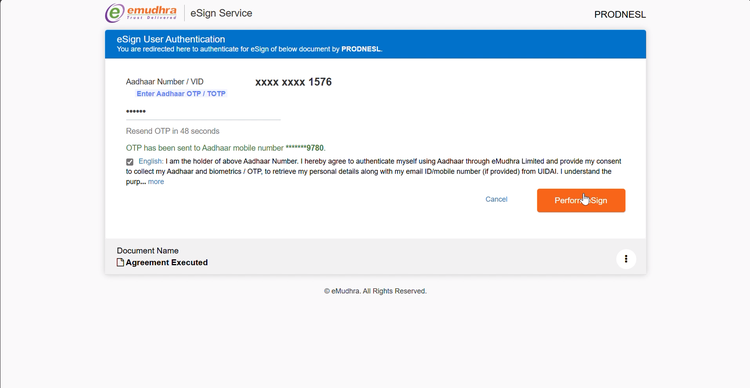
13. Your document will get processed digitally, It might take a minute to process the document. Do not close the window.
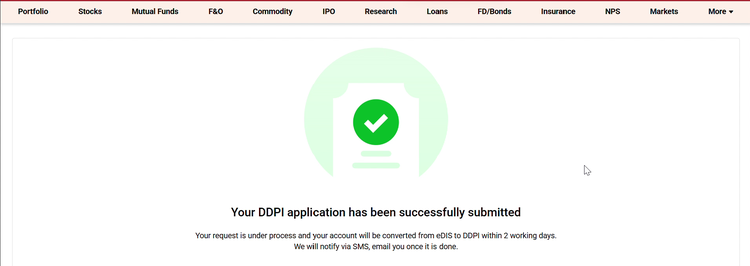
14. Your application will be successfully submitted. It will take upto 2 working days to activate your DDPI. You will receive confirmation mail and SMS once DDPI is activated in your account.