General
Where can I view details of completed Execution Algos orders?
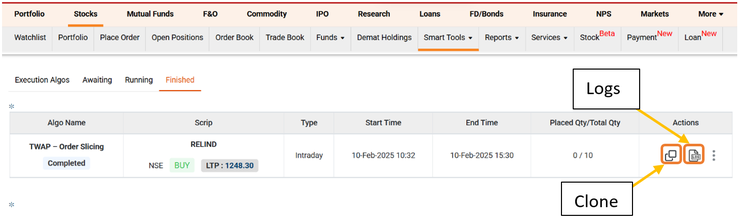
All completed orders appear under the Finished tab.
- In the ICICI Direct Super app: Clicking on a completed order will display its summary, including details such as Algo Name, Script Name, Exchange Order Number, Order Price, Quantity, etc.
- On the ICICI Direct website: Clicking on View Details provides a summary of the order.
- Algo Log: Customers can click on the Algo Log button to view details of every slice within an Execution Algos order.